How to Write a Reproducible Browser Bug Report
Turn a browser failure into a useful, privacy-safe report with expected behavior, minimal reproduction steps, and environment facts.
BotBrowser Team
Want the structured docs for Getting Started?
This article lives in the editorial library. For step-by-step setup, reference material, and ongoing updates, jump into the docs section.
Browser compatibility failures often depend on the engine release, profile permissions, or a controlled test context, not only on application code. A useful report makes that browser boundary explicit: it records what should happen, what actually happened, the smallest reliable reproduction, the environment that matters, and the evidence safe to share. BotBrowser controlled contexts can help repeat an authorized Chromium journey, while the report remains a privacy-safe triage artifact rather than a root-cause verdict or a request for private browser state.
TL;DR
- State expected and actual behavior with the same visible nouns, then reduce the failure to a minimal authorized fixture.
- Record only environment fields that can change the result, such as
browserRelease,profileRevision,viewport, andrunCount. - Redact tokens, cookies, private URLs, account data, and unrelated screenshots before sharing any artifact.
- End with one triage decision: reproduce, fix, add regression coverage, approve a waiver, or close as unsupported.
Contents
- Expected and actual behavior
- Minimal reproduction
- Environment information
- Privacy review before sharing
- Triage and follow-up
- Practical conclusion
Expected and actual behavior
Start with the user-visible contract. Write the expected result as an observable statement: “After selecting Save, the confirmation appears and focus moves to the heading.” Write the actual result with the same nouns: “The request completes, but the confirmation is absent and focus remains on the Save button.” Avoid conclusions such as “the browser broke focus” until the evidence supports them.
Use one report for one coherent failure. A login error, a layout shift, and a download problem may share a release but need separate reproduction paths and owners. Link related reports by their public identifiers rather than copying private traces into each report.
The Chromium bug-reporting guidance and Mozilla bug-writing guidance both emphasize clear steps, expected and actual behavior, and enough environment context to reproduce a problem. They do not require credentials, account history, or a complete browser dump.
Minimal reproduction
Reduce the path until removing one step makes the failure disappear. Record the starting URL or a safe local fixture, the exact action, the visible result, and the cleanup. Prefer synthetic data and an owned test page. If a public page is necessary, share only its public URL and avoid reproductions that probe or target a service you do not own.
Illustrative example only; not executed. All values below are fictional.
Title: Save confirmation is absent after editing a test profile

Expected:
1. Open the owned profile fixture.
2. Change the display name to "Example".
3. Select Save.
4. See "Saved" and move focus to the status heading.

Actual:
The request completes, no status appears, and focus remains on Save.

Environment:
Browser: Chromium 154, Linux profile fixture
Viewport: 1280x800, keyboard and pointer
Release: app 2026.10.06
Reproducibility: 5/5 runs
Keep the fixture deterministic. Name the data state, feature flags, locale, viewport, browser release, profile revision, and network class only when they affect the outcome. A report that says “latest browser” cannot establish a stable baseline. A report that includes every available setting buries the difference that matters.
| Report state | Evidence | Next action |
|---|---|---|
| Blocker and reproducible | minimal steps fail consistently | assign owner and pause affected release path |
| Reproducible but scoped | one route or environment fails | compare a known-good neighbor and triage |
| Intermittent | bounded run count and frequency | add timing/context, then repeat safely |
| Cannot reproduce | exact fixture and environment recorded | request one missing fact, not a private dump |
| Privacy-redacted | sensitive evidence removed | continue with visible facts or approved channel |
Environment information
Report only environment facts that can change the result. Include browser family and release, operating system or platform class, viewport, input mode, application release, route state, locale, profile or permission mode, and network condition when relevant. State whether the run was cold or warm and whether the page was visible. These labels describe a test condition; they do not identify a person or hardware.
Separate application build, browser build, and profile revision. A profile can change permissions and stored data. A browser release can change engine behavior. An application build can change the page. If all three changed together, report the combination and mark the cause unknown. Re-run with one variable held constant before assigning blame.
BotBrowser controlled contexts can repeat authorized reproduction journeys with declared profile, platform, release, viewport, route, and test data labels. This capability helps confirm visible behavior in a named setup. BotBrowser does not infer root cause, collect private browser logs, expose customer credentials, guarantee a fix, or authorize reproductions against third-party services. Keep that limitation in the report.
Privacy review before sharing
Use a redactionChecklist with cookies=removed, tokens=removed, privateUrls=removed, and retentionOwner before transferring evidence.
Read every attachment as if it will be published. Remove cookies, authorization headers, tokens, passwords, account identifiers, private URLs, query strings, personal text, screenshots of unrelated tabs, and downloaded files that contain customer data. Replace real names with synthetic values. Crop screenshots to the failing control and include the visible state needed to understand it.
Prefer a short reproduction video or screenshot only when it adds information that text cannot provide. Blur addresses, notifications, and account details. If a trace or console excerpt is required, keep the smallest lines around the failure and redact values before transfer. Do not upload a complete profile, browser directory, network capture, or storage dump to a public tracker.
Keep evidence in an approved access-controlled channel when the failure cannot be reproduced without private data. The public report can state that a redacted artifact exists and identify its retention owner. A private attachment is not a reason to include credentials in the public description.
Triage and follow-up
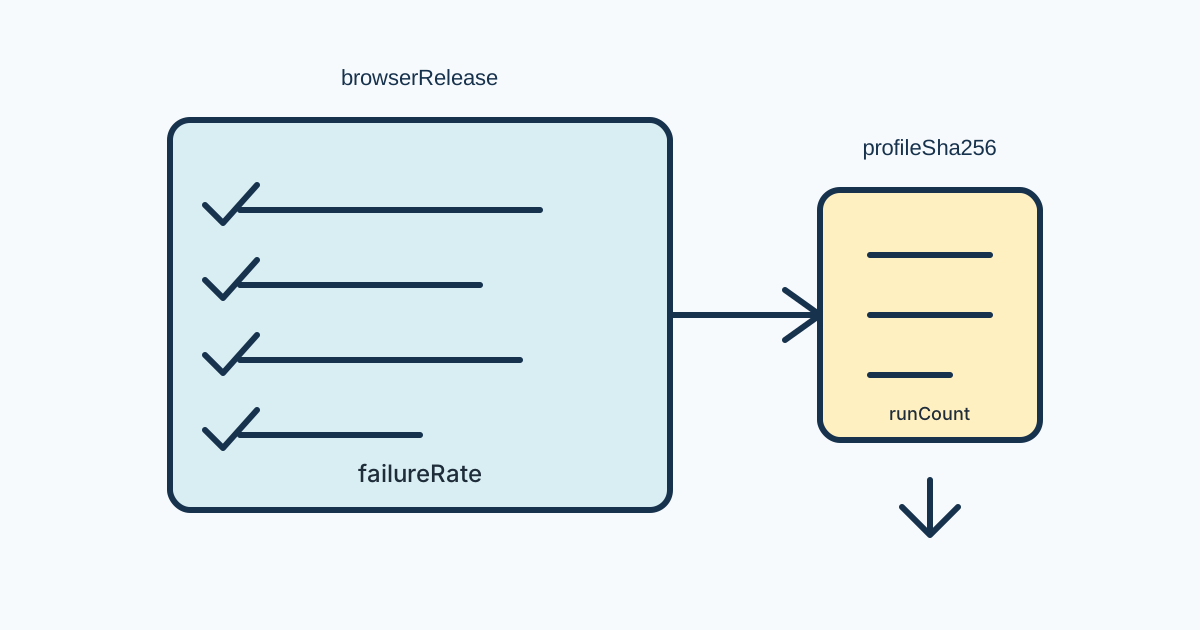
Start the triage record with firstFailingStep, runCount, failureRate, fixtureId, knownGoodRelease, candidateRelease, decision, owner, nextReviewDate, recoveryAction, and rollbackPackage. These fields keep a long investigation tied to a reproducible condition.
A report is ready for triage when another person can run the steps, observe the expected/actual difference, identify the environment, and understand the privacy boundary. Add a frequency such as “5/5 clean runs” or “2/20 runs after a cold navigation,” not an unsupported severity label. Record the first failing step and the user-visible recovery action.
When triage cannot reproduce the failure, compare the report's fixture with a known-good route and ask for one missing condition at a time. Do not request a full browser dump. A useful follow-up may be a new app build, a different viewport, a cold cache, or a permission state. If the report is intermittent, preserve the run count and timing window so the next experiment can be comparable.
For release work, link the report to the candidate, matrix cell, or regression check that found it. A fix should add a regression fixture or update an existing journey card. A release decision should state whether the issue blocks, receives a bounded waiver, ships with a fallback, or is out of scope. Keep the original failure and the verified correction in history.
For adjacent workflow guidance, see the browser release validation checklist and the browser test matrix guide. This report focuses on handing one observed failure to the right owner as a reproducible, privacy-reviewed artifact.
Define the fields before collecting data.
Field names are useful only when each has a precise meaning. browserRelease identifies the browser build actually used, not the newest build available when the report is filed. profileRevision should name a versioned, resettable profile fixture or permission preset; it must not be a user profile identifier. fixtureId points to a test-owned page and synthetic seed, not a customer record. routeState captures the relevant route and UI state without embedding query strings that contain private values.
firstFailingStep is the earliest numbered action after which observed behavior diverges from expected behavior. runCount is the number of comparable attempts and failureRate expresses failures over those attempts, for example 3/20, with the setup held stable. knownGoodRelease is a named release that passed using the same fixture and relevant conditions. candidateRelease is the release under evaluation. If either comparison also changed the app, profile, or platform, record that fact rather than implying a controlled comparison.
Use decision for the current disposition, not a prediction: reproduce, investigate, fix, waive until a date, use a fallback, or close as unsupported. owner identifies the responsible team or role in the tracker, not a personal account copied into a public report. nextReviewDate is the next decision point. A date without an owner is not a handoff, and an owner without a next action leaves the issue open-ended.
Design a comparison that can answer one question.
Start with a question that distinguishes plausible explanations: did the browser release change the result, or did the application build? Choose two conditions and hold all other relevant inputs steady. For a browser comparison, keep application build, profile revision, fixture seed, route, viewport, and input sequence constant; change only the browser release. For an application comparison, keep browser and profile fixed and change the app build. If a platform comparison is necessary, select the closest supported neighboring environment and document unavoidable differences.
An experiment record should state the hypothesis, fixed inputs, changed variable, number of attempts per condition, visible predicate, and stopping rule. A useful predicate is concrete, such as “the status heading becomes visible and receives keyboard focus within the route.” Avoid predicates like “works correctly,” which permit different observers to count different outcomes. Decide in advance what result would change the triage decision. If no plausible result changes the action, the comparison is unnecessary. Keep a short record for each condition so later readers can distinguish a completed run from an intended one: the example above is illustrative and does not establish an observation.
Intermittent failures need a bounded schedule, not endless retries. Define the number of attempts and any wait interval, then preserve the order of actions and reset between runs. Report both failures and clean runs. If a change in cache state or timing is the question, make that the single variable; do not combine it with a new browser build and a different fixture. A null result is informative only when the attempted condition and observation window are stated.
Redact by transforming the artifact.
Redaction should retain the relationship needed to explain the bug while removing the secret value. Replace a private account name with test-user-a, a bearer value with [REDACTED_TOKEN], and an owned path with a stable fixture label. If a URL path is sensitive, substitute a public fixture route while keeping the relevant route structure. Remove query values entirely when they may carry identifiers; do not assume that an opaque fragment or parameter is harmless.
For screenshots, inspect the full image before cropping: browser chrome can expose an address, profile avatar, notification, open tab, or downloaded filename outside the failing control. Crop to the smallest frame that shows the action and result, then inspect the exported image again. For text traces, keep only the event boundary needed to establish sequence. Redaction markers should make omissions obvious so a reviewer does not interpret a removed value as an empty value.
Do not publish a complete profile directory, storage export, HAR, packet capture, or browser log merely because it is easy to attach. Such bundles can include unrelated origins and long-lived identifiers. If a specialist needs one privately, document its access channel, recipient role, expiry or deletion date, and the smallest useful subset. The public issue should remain understandable without that private material.
Turn the result into an owned release decision.
Severity labels belong to the release policy and should be applied only after describing impact. A blocker prevents a supported journey and needs an explicit release stop or waiver. A high-impact issue affects an important supported route but may have a verified workaround. A scoped issue is limited to a declared environment. An informational finding does not itself change release policy. These labels do not replace the observable failure or the evidence behind it.
The handoff should link the report to the affected journey, candidate release, and regression check. The next action must be testable: reproduce on a fixed build, compare one browser release, add an assertion for the visible correction, or decide on a fallback by a stated date. A workaround is not a fix; record what user action it requires and whether it is acceptable for the release. Preserve the original symptom when appending a successful retest so older affected versions remain represented.
A regression check should assert the user-visible contract and, when relevant, the recovery path. Checking only that no exception was thrown can miss a silent failure such as the absent confirmation in the example. Keep the fixture small, resettable, and free of private account state. If the route or test data is retired, record the replacement or state that the old report can no longer be reproduced; do not silently leave a broken fixture link.
Choose the right evidence for the failure.
Text is usually sufficient for a deterministic state transition. A screenshot adds value when the defect concerns layout, focus indication, clipping, or a visual status that is hard to describe. A short recording can show order-dependent interactions, but it should not replace numbered steps or expose unrelated activity. Console excerpts help only when a specific message correlates with the visible failure; they are not a substitute for describing the visible result.
For timing defects, provide the action timeline and observation window. For network behavior, provide the controlled response class and visible status rather than a customer address or full capture. For storage and permissions, record whether the synthetic state began empty, seeded, expired, granted, denied, or prompted. For upload and download defects, specify harmless fixture type and size, visible progress and completion, and cleanup. Each evidence type should answer a different question; collecting all of them by default increases exposure without improving reproducibility.
Use a stable route label in the public report when the real path includes a tenant, document, or user identifier. Record whether the route loaded directly or followed navigation, since redirects and client-side state can change the reproduction. State whether observation happened in a fresh context or after a prior action, and include the reset step needed to restore that state. Avoid private URLs in screenshots, source snippets, or attachment names when the surrounding prose already identifies the fixture.
Before publication, ask whether each detail changes reproduction, interpretation, privacy handling, or the release decision. If it does not, omit it. Keep uncertainty explicit: “observed on the candidate browser build; cause unknown” is a useful boundary. An attribution such as “the browser caused it” requires a controlled comparison and evidence that competing variables were held constant.
Public sources
Practical conclusion
A strong report keeps one failure, one authorized fixture, and one decision path together. Preserve the expected/actual pair, the smallest reproducible steps, the environment fields that matter, and the privacy boundary. Ask for the next narrow experiment instead of a complete browser dump; this gives the owner enough evidence to reproduce or close the issue without expanding data exposure.
This article is part of the guide: Browser Automation Getting Started: A First Run Map
Related Articles
Browser Test Evidence and Reporting Quality
Getting StartedBrowser Update Regression Triage for Web Teams
Getting StartedPlaywright Trace Viewer for Authorized Test Debugging
Getting StartedSelenium Browser Profile Integration and Session Ownership
ComparisonBrowser-Core vs API-Layer Protection: A Reproducible Test
Getting StartedBrowser Automation Test Fixtures and Isolation
Run the same check in BotBrowser
Load a profile, keep the signals you just read about consistent inside the browser, and confirm the result on your own machine before a rollout.